 Heracles Records
Mentor
A trainer named Mentor.
Mentor is the trainer in Heracles Records, and the name it answers to. Ask about a session, a week or how well you are recovering: it reads your COROS data and answers with the numbers and the charts behind them. It drafts what you ask for, and changes nothing until you say so.
The name
Named for the counsellor of the Odyssey.
In the Odyssey, Mentor is the friend Odysseus leaves in charge of his house and his son when he sails for Troy. When Telemachus sets out to find his father, Athena comes to him in Mentor's shape and shows him the way. The name outlived the story: a mentor is now anyone who has gone further down the road and helps you along it.
Here it is both. A name, with the old counsellor's portrait on the rail, on every Ask Mentor button and beside each answer. And the counsellor's job: it keeps watch over every session, night and plan your COROS account holds, and it advises. The decisions stay yours.
What Mentor reads
Mentor fetches what a question is about, not everything at once, and every figure about your training comes from your COROS account.
-
Activities
Every session, its laps, zones, how you rated it on the watch and every channel it recorded, down to one stretch of it: the last 5 km, the third interval.
-
Load and recovery
Training load and where it is heading, overnight HRV and the heart rate you slept at, steps, exercise minutes and stress, day by day and week by week.
-
Sleep
Nights, naps, stages, HRV across the night and stress by the hour.
-
Plans and workouts
Your COROS workout library, your plans and how well you are keeping to them.
-
Zones and profile
Your own heart-rate, pace and power zones, thresholds and personal records.
-
The web
Races, events and anything else your data does not hold, when a conversation allows it. Never in an analysis, and a local model does without.
What Mentor does
-
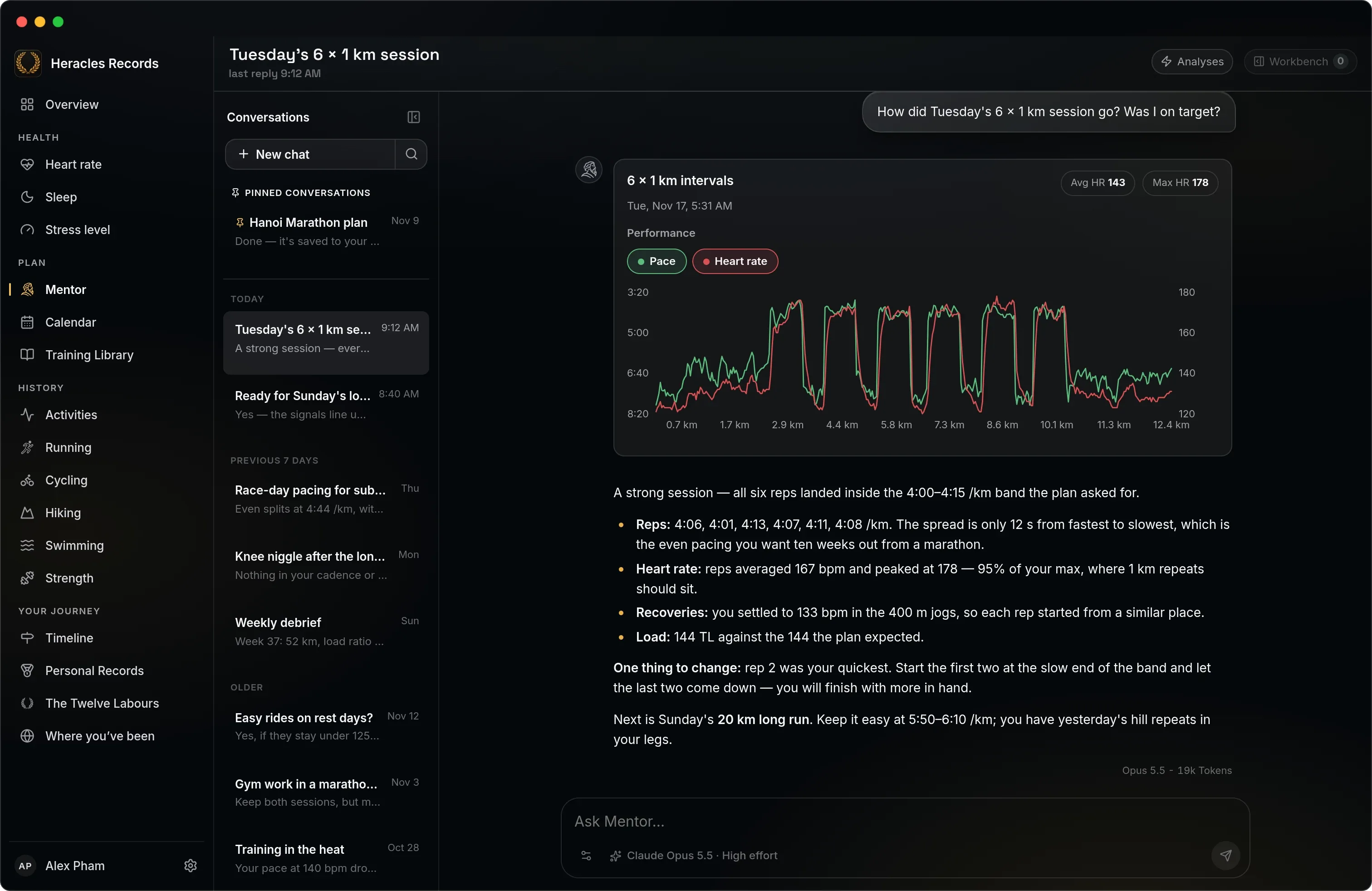
Answers with charts
Heart rate against pace, a week's load, time in zones: the figures behind the answer, drawn where they belong in it.
-
Drafts workouts
One session, built to your zones, saved to your COROS library or straight onto your calendar.
-
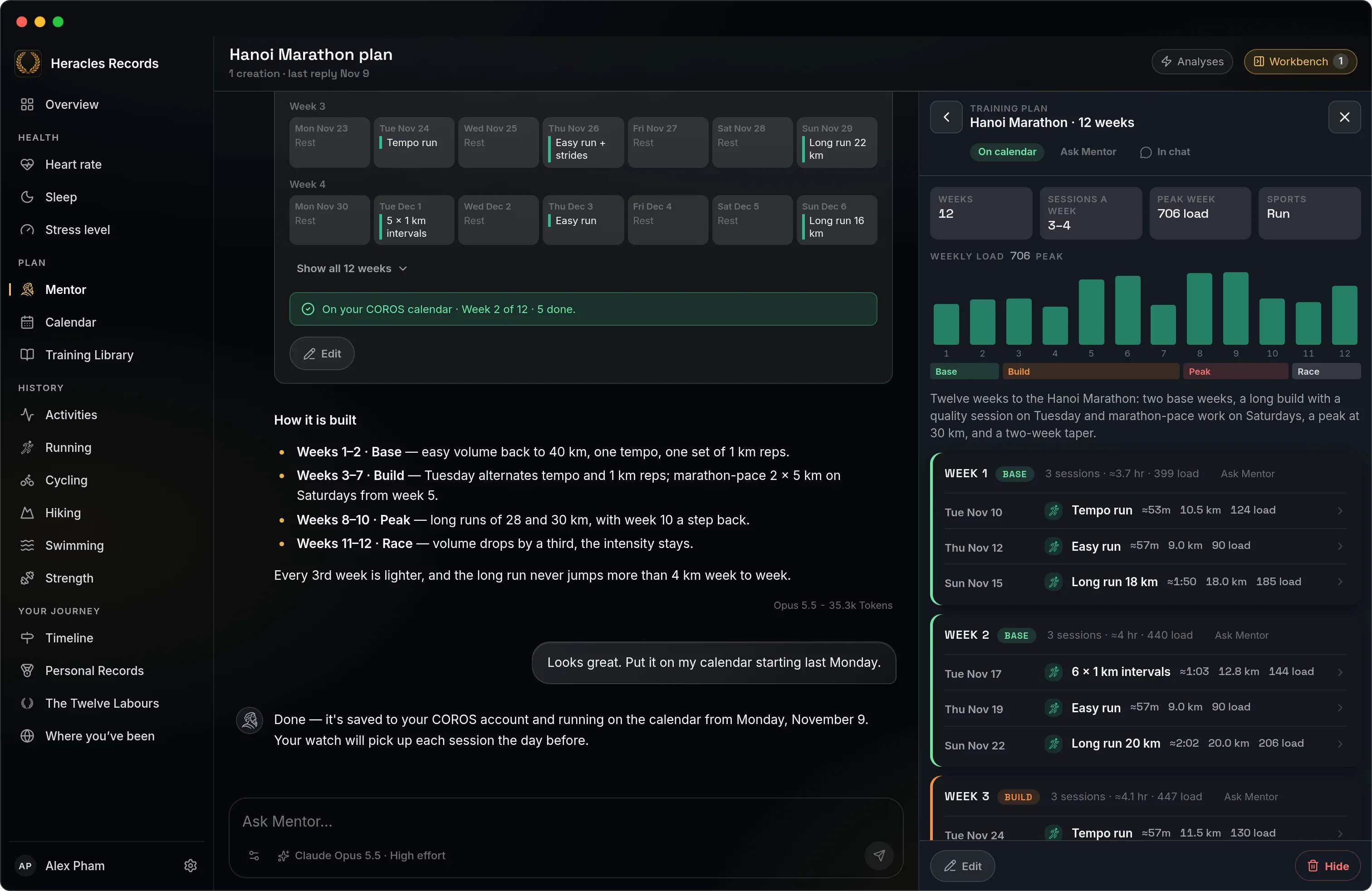
Writes plans with you
A plan longer than two weeks starts as a brief you can edit, then an outline, then every session. Read it in the Workbench beside the conversation, change what you like, and save it to COROS.
-
Rearranges your week
Moves, swaps, removals and additions arrive as a list. Apply them one line at a time, or all at once.
-
Asks before it guesses
What only you know, a race date or the days you can train, Mentor asks with a card of choices rather than assuming.
-
Speaks your way
Friendly, Motivating, Neutral, Straight talk or No filter, in whatever language you write to it. Your own instructions go on top.
Auto analysis
Mentor checks in on its own.
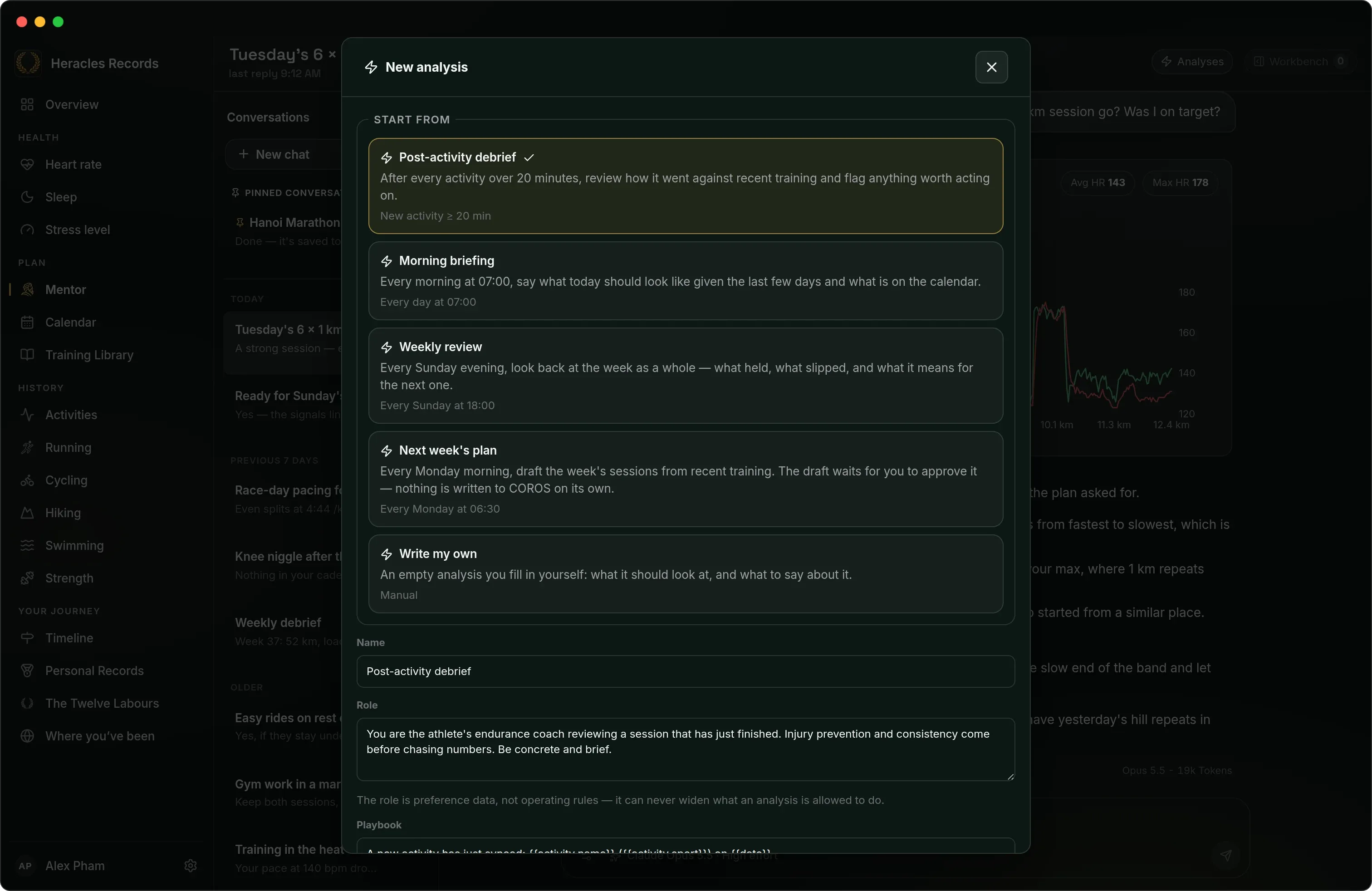
Give a conversation a standing job and Mentor does it without being asked. Open Analyses at the top of a conversation, start from one of four starting points or write your own playbook, and choose when it runs. Each answer lands in that conversation, marked as an analysis, ready when you open it.
Start from
- Post-activity debrief: after every activity over 20 minutes, how it went against recent training.
- Morning briefing: at 07:00, what today should look like.
- Weekly review: on Sunday evening, what held and what slipped.
- Next week's plan: on Monday morning, the week's sessions drafted for your approval.
- Write my own: what to look at and what to say, in your words.
When it runs
- After a new activity: for the sports you pick, over a length or a distance. A debrief also reads the 72 hours before, so yesterday's leg day is part of today's run.
- On a schedule: every day or every week, at the time you set.
- When a metric turns: training load ramping, your sleeping heart rate drifting up, a planned workout missed, or sleep debt building.
- Only when you ask: a playbook you run by hand.
Kept in bounds
- Read-only. An analysis reads and suggests. Workouts and changes it proposes wait for you to apply them.
- Guard rails. A cooldown, a cap on runs per day and quiet hours.
- A monthly budget for everything analyses spend, and one switch that pauses them all.
- One computer or any. With Sync, an analysis runs on whichever of your computers is awake, once. Or keep it to this one.
A conversation is yours to shape
- Ask from anywhere. Ask Mentor sits on every session's page, on a calendar day or week, and on a plan and its sessions in the Training Library. The question arrives already pointing at what it is about.
- Edit, delete or hide. Edit your last question and ask again, delete one you regret, or hide a turn from Mentor without losing it.
- Branch. Start a new conversation from any answer to try another idea. What Mentor made in the first one stays there.
- Long threads. A rail of your questions takes you back to any of them, and Mentor searches its earlier turns when they matter again.
Pick the AI
Mentor runs on an AI you choose, set up under Settings → Connections → AI Model Providers. Each conversation can use a different one.
| Provider | What you need |
|---|---|
| ChatGPT | Your ChatGPT account. You sign in through your browser. |
| Claude subscription | A paid Claude plan, and Claude Code installed on the computer. The app signs in with a Claude login of its own. |
| Claude API key | An Anthropic API key. Pay as you go. |
| OpenRouter | An OpenRouter API key, and any model it offers. |
| Local model | Ollama or LM Studio running on your computer. Free, and your questions never leave it. |
You decide what it sees
- Sources per conversation. Switch off activities, sleep or anything else a conversation should not read. It is withheld from Mentor's tools and from what it is told, not only from the prompt.
- Straight to your provider. Your questions and the data they need go from your computer to the AI you picked, and nowhere else. A local model keeps them on your computer.
- Nothing saved behind your back. Drafts, plans and changes to your calendar wait on a button you press. Automatic analyses can only read.
- What each answer cost. The model and the tokens it used are under every answer, and automatic analyses have a monthly budget you set.