 Heracles Records
Every session
Every session, read in depth.
One list holds everything your watch has recorded. Running, Cycling, Hiking and Strength each get a screen of their own that reads what that sport is about, and every session a page with every channel the watch recorded.
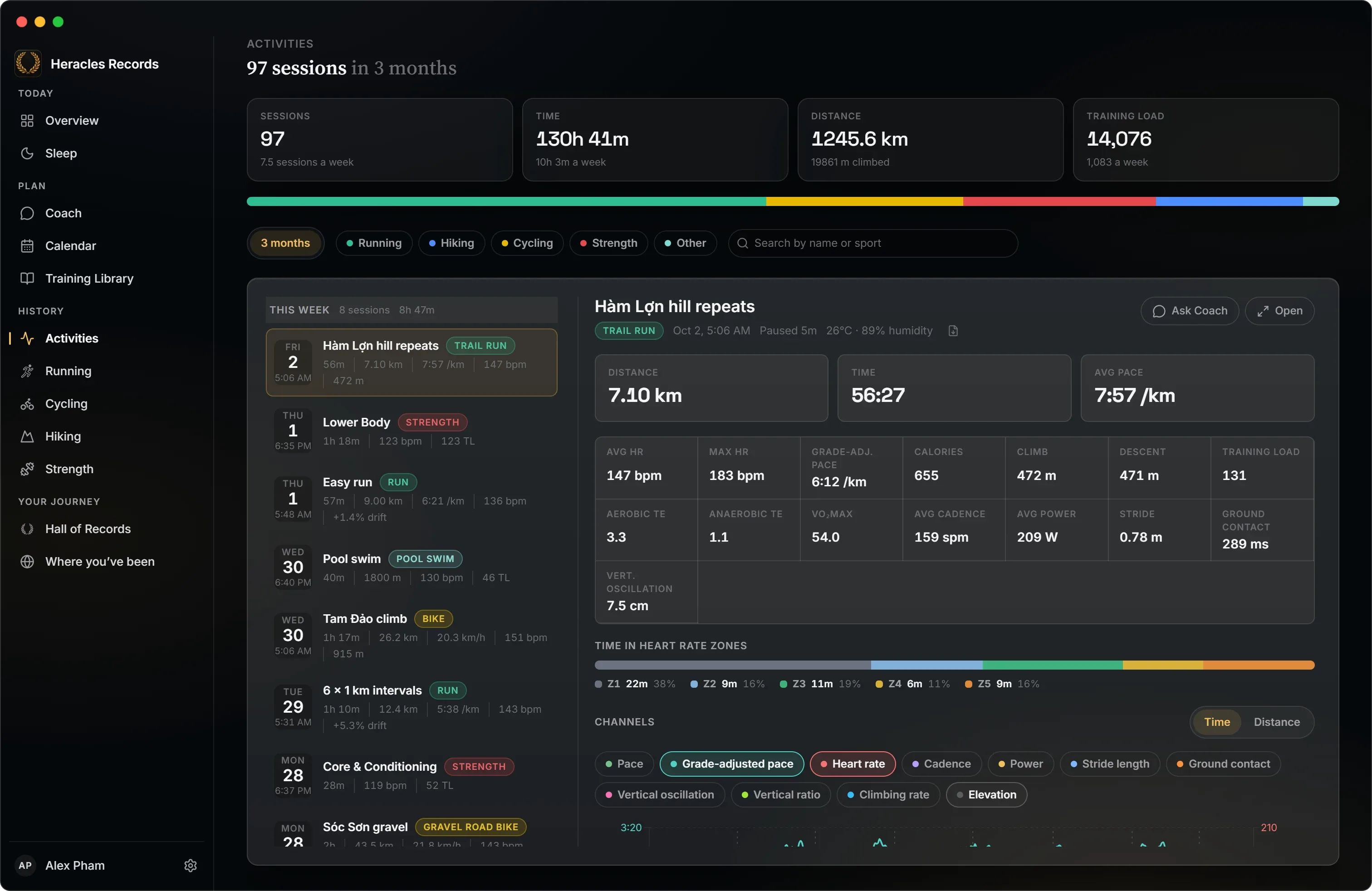
Activities
Every sport in one list.
- Everything COROS holds, swims and hybrid sessions included, grouped by week with the week's totals.
- Filter by period, by sport or by name.
- Compare sports on one bar: how your time splits between them.
- A detail pane beside the list: zones, laps, running dynamics, power and every channel, and a link to the session's own sport page.
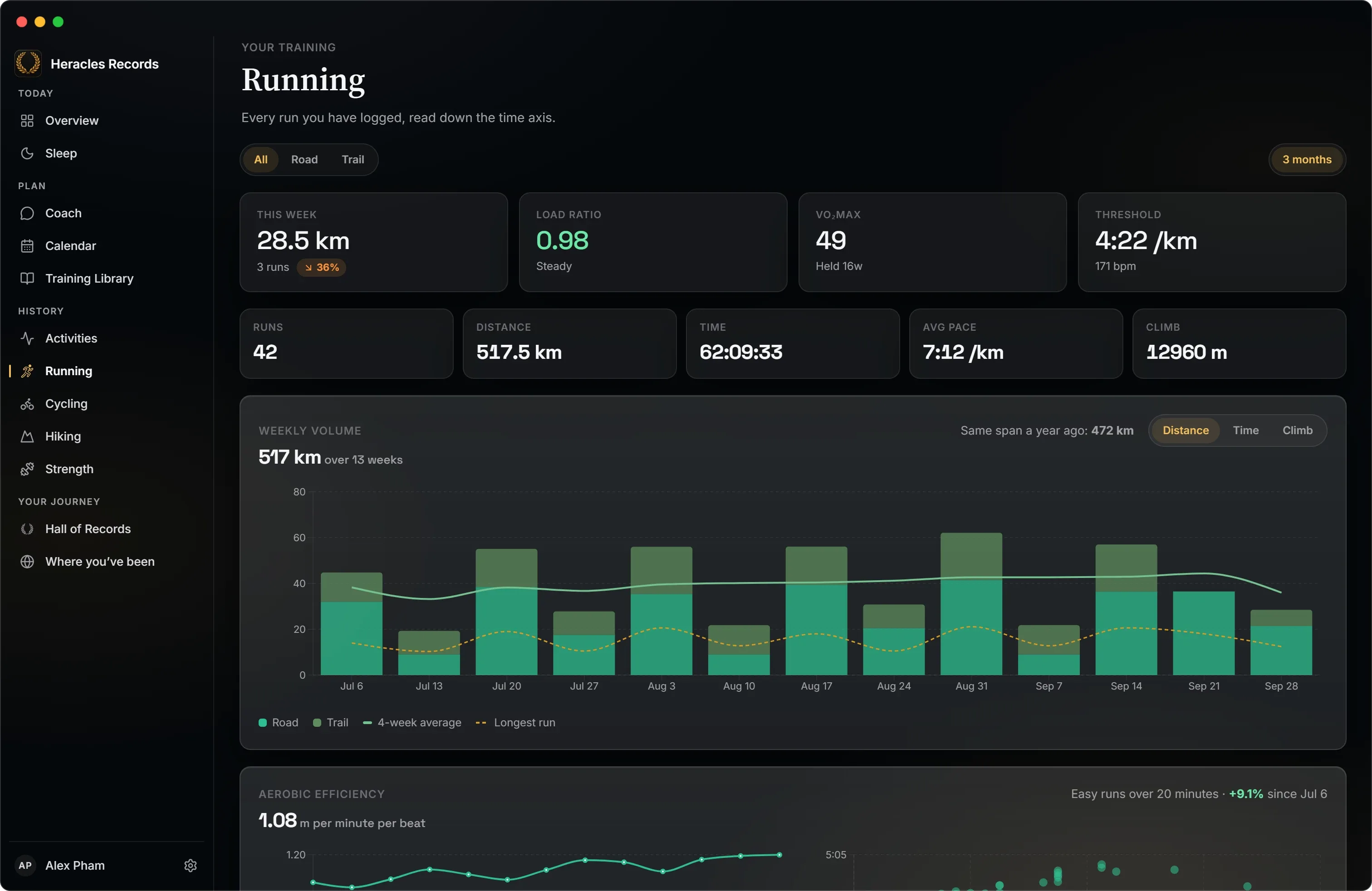
Running
Pace, load and form.
Weekly volume against its four-week average, your load ratio, VO₂max and threshold pace, how much of your running is easy, and a split by surface.
- Trail runs read as trail runs. Switch to Trail and the screen counts hours and climb instead of pace, with climb per hour as the measure of progress.
- Efficiency and drift for every run: pace against heart rate, and how much it slipped in the second half.
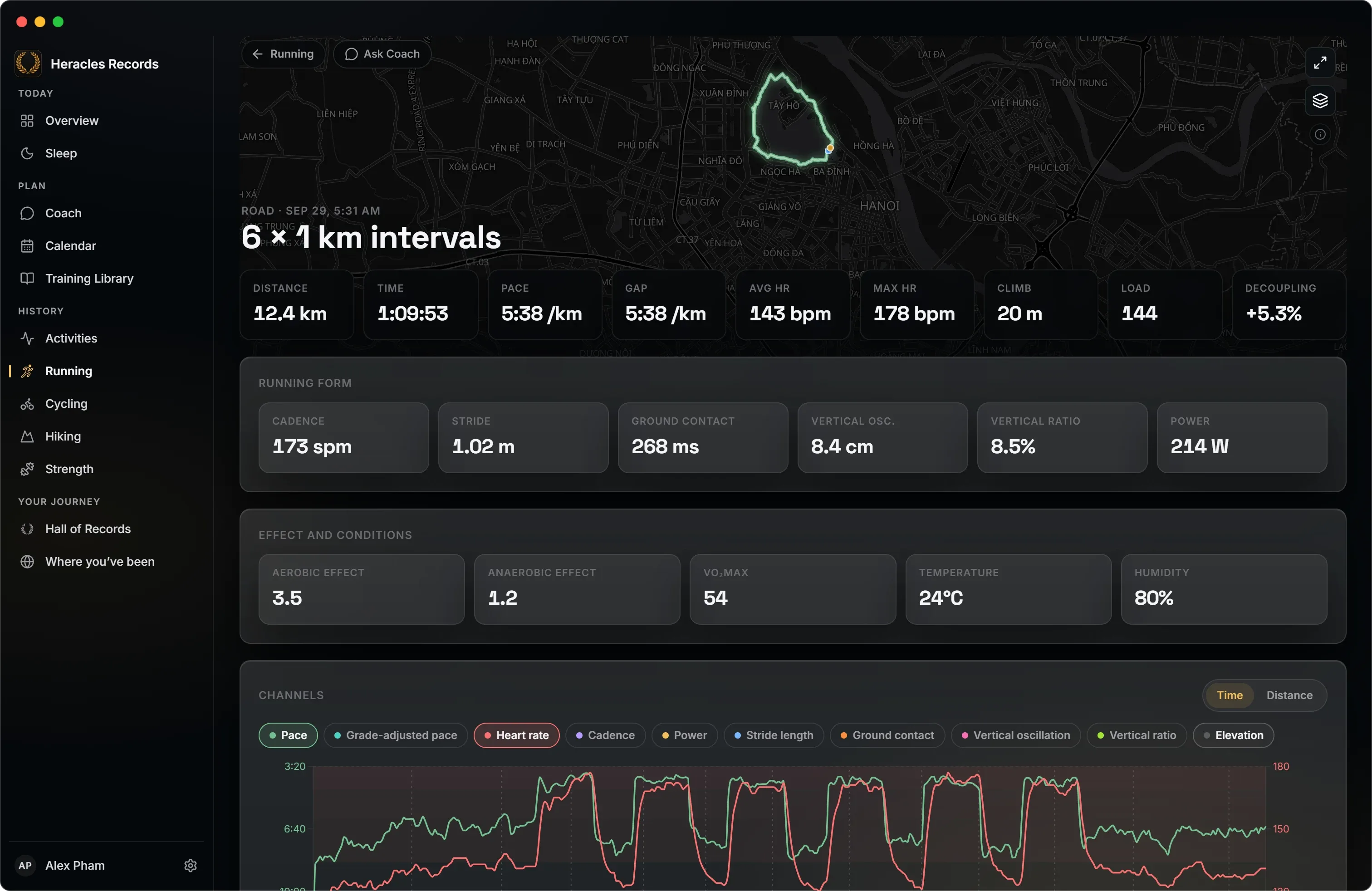
A run's page
Every channel the watch recorded.
The route on a map, then pace, grade-adjusted pace, heart rate, cadence, power, stride, ground contact and vertical oscillation on one chart you can read a stretch at a time.
- Running form and the session's effect, weather and conditions.
- Laps and zones, numbered as COROS numbers them.
- Decoupling: how far heart rate drifted from pace.
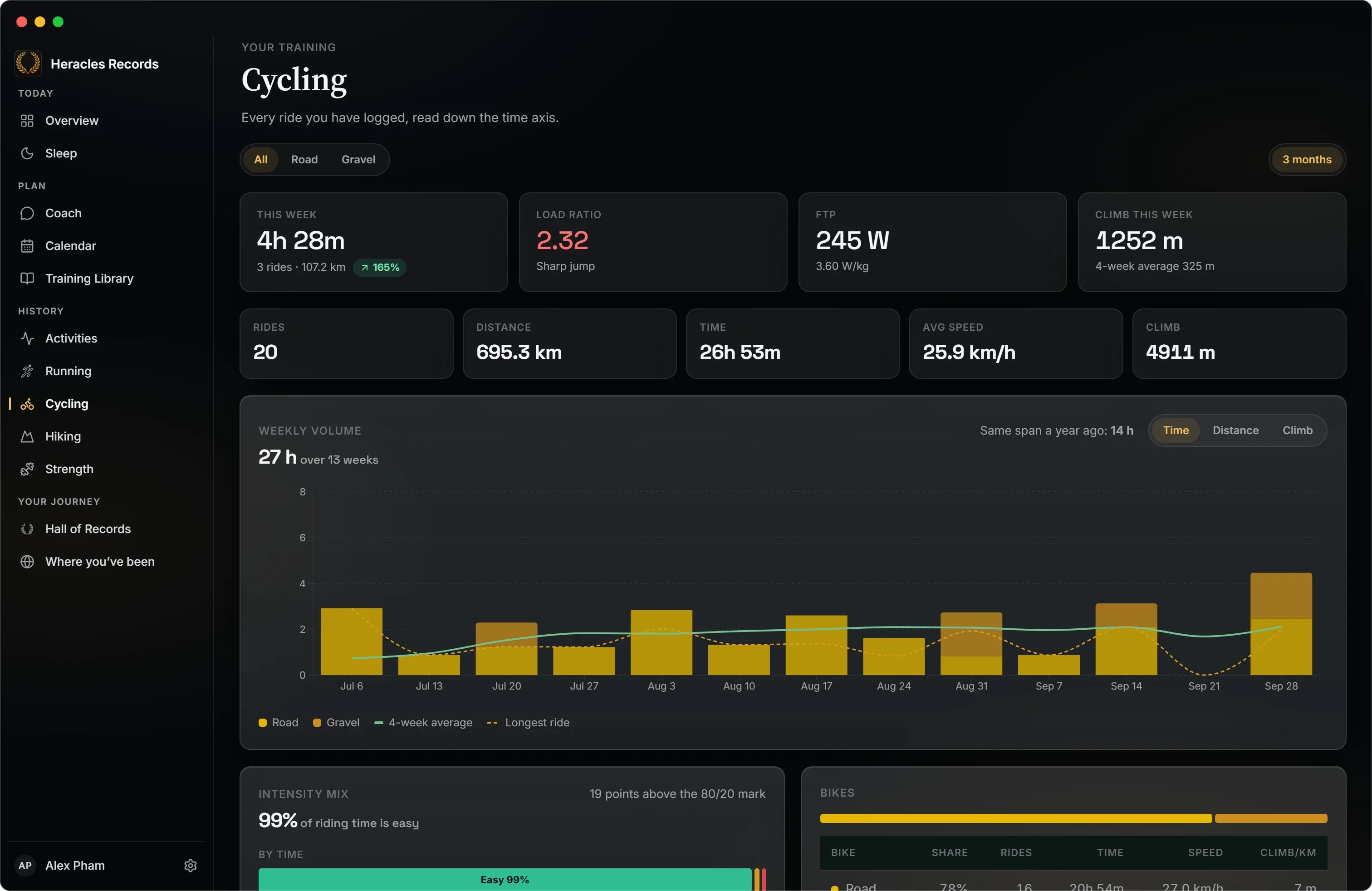
Cycling
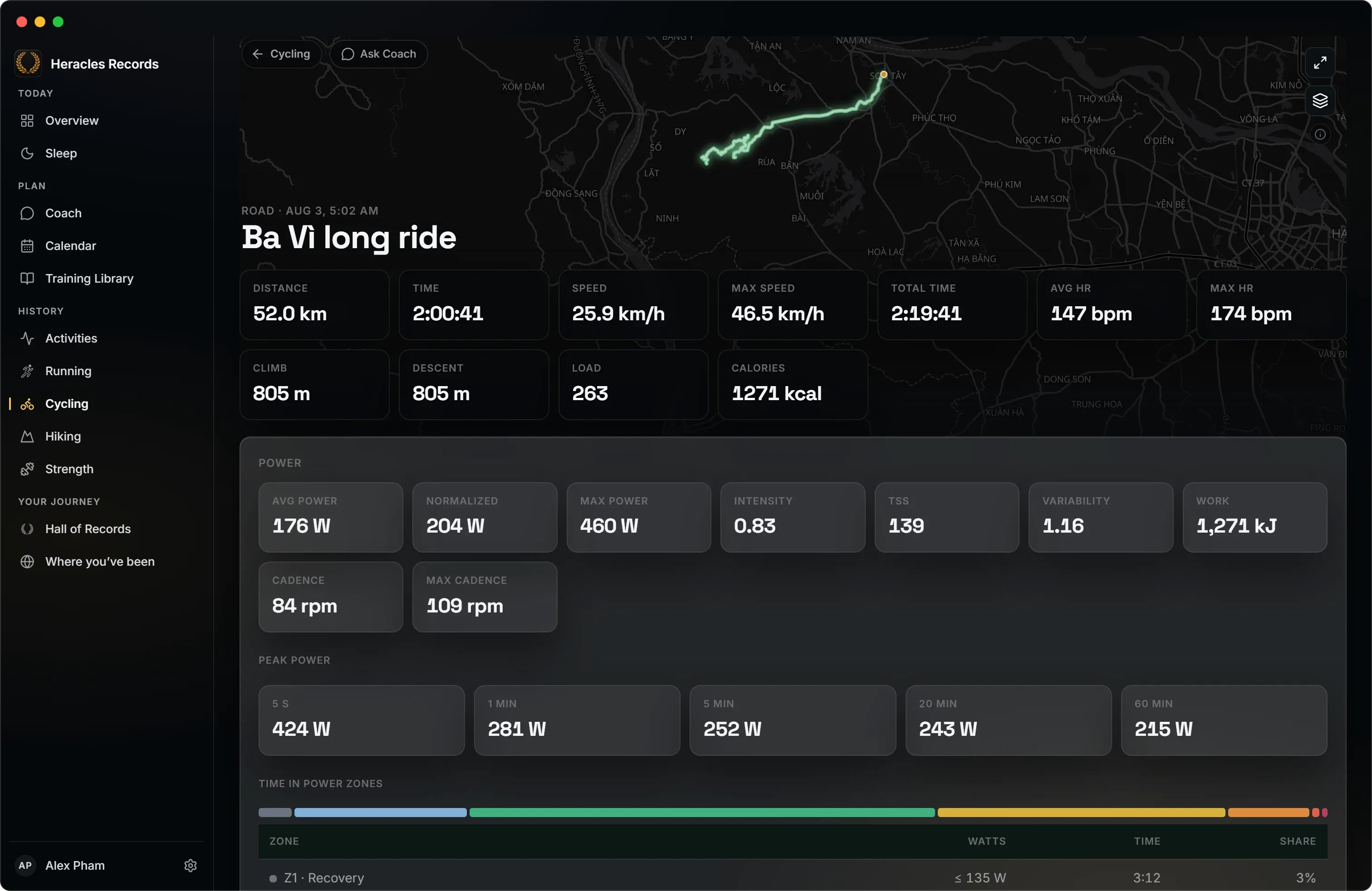
Hours, power and climb.
A week of riding is read in hours, because an indoor ride may record no distance and an hour off-road covers half the road's. FTP and watts per kilo, the week's climb, and a split by road, gravel, mountain, indoor and e-bike.
A ride's page
The power behind a ride.
- Normalised power, IF and TSS against your FTP, variability and work.
- Peak power from 5 seconds to an hour.
- Time in your COROS power zones, with coasting set apart.
- The climbs, found in the elevation and categorised by length and grade.
- Speed over the time you were moving, and a top speed held for five seconds, so one GPS jump does not count.
Hiking
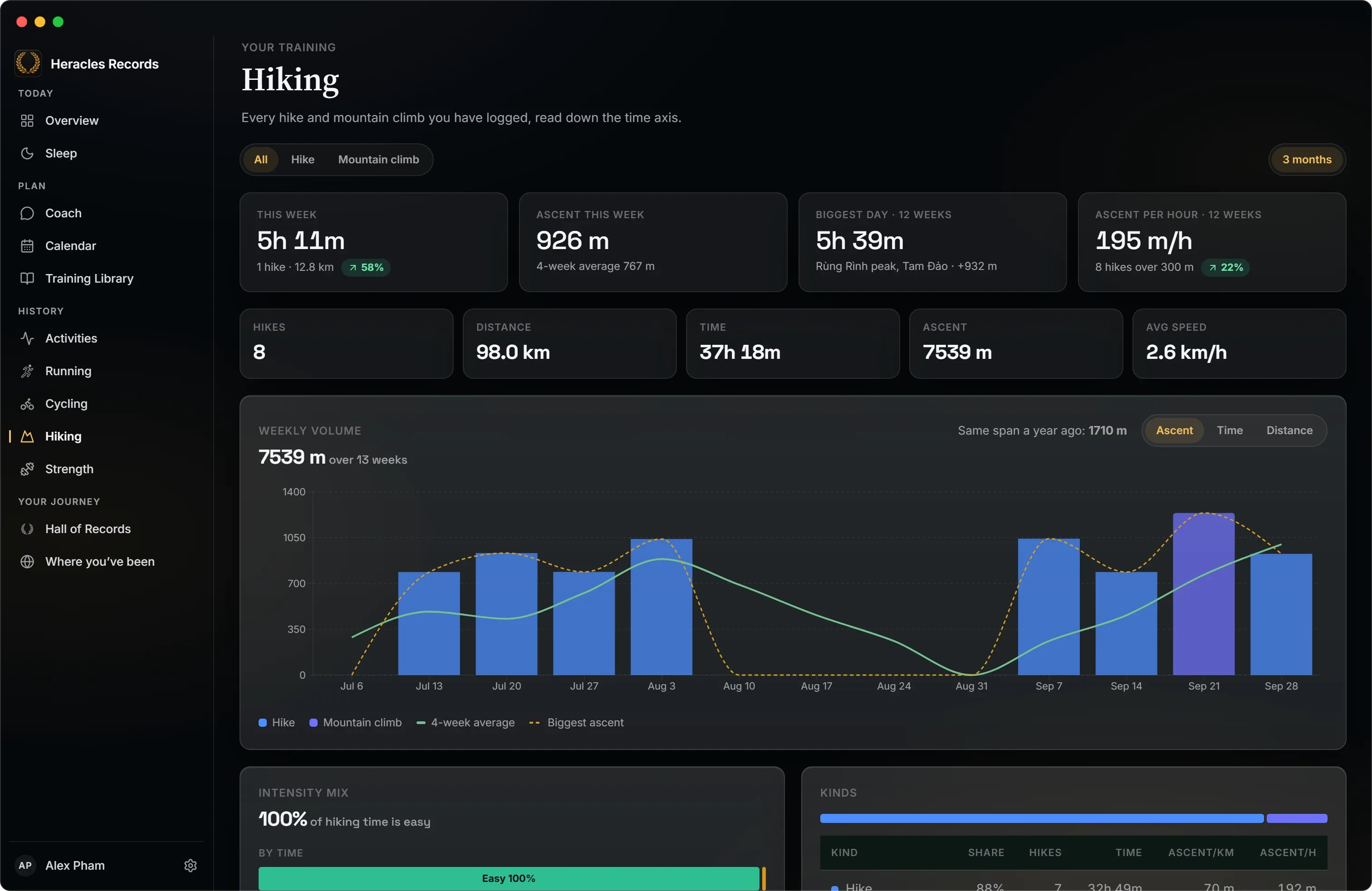
Height and hours before distance.
Hikes and mountain climbs, read the way a walker thinks about them: this week's ascent, your biggest day, and ascent per hour as the measure of how fit you are on a hill.
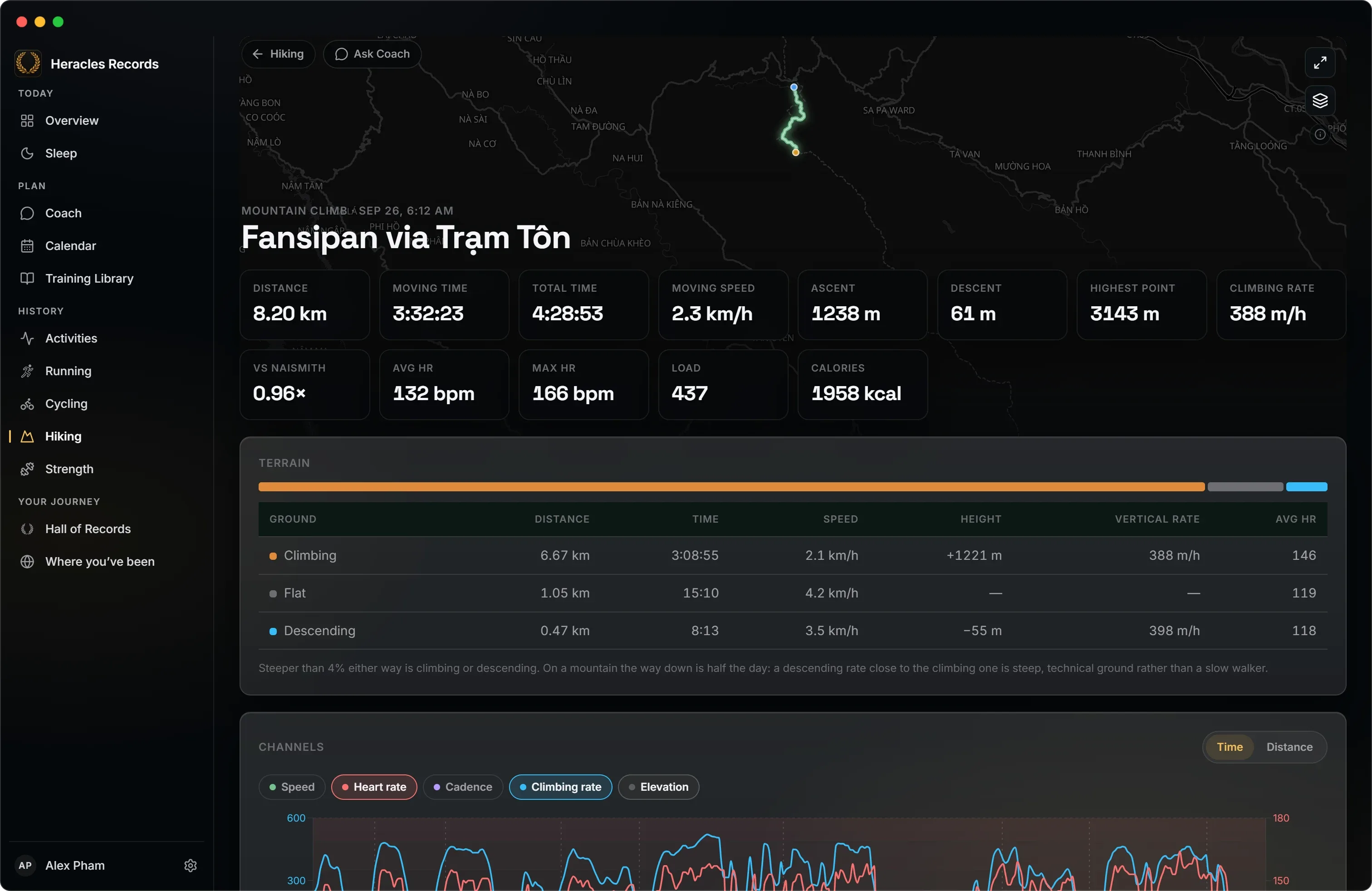
A hike's page
A long day, taken apart.
- Moving time worked out from the samples, because a watch records the lunch stop too.
- Every rest of two minutes or more, with the time, the kilometre and the altitude.
- Terrain: time climbing, on the flat and descending, and your speed on each.
- Ascents and descents, the highest point, and your time against Naismith's rule.
Strength
Every set, on the muscles it worked.
COROS strength sessions and your Hevy workouts in one place, on a 3D map of the muscles you trained, with the weight you moved, the time you spent lifting and your coverage of each muscle group.
Connect Hevy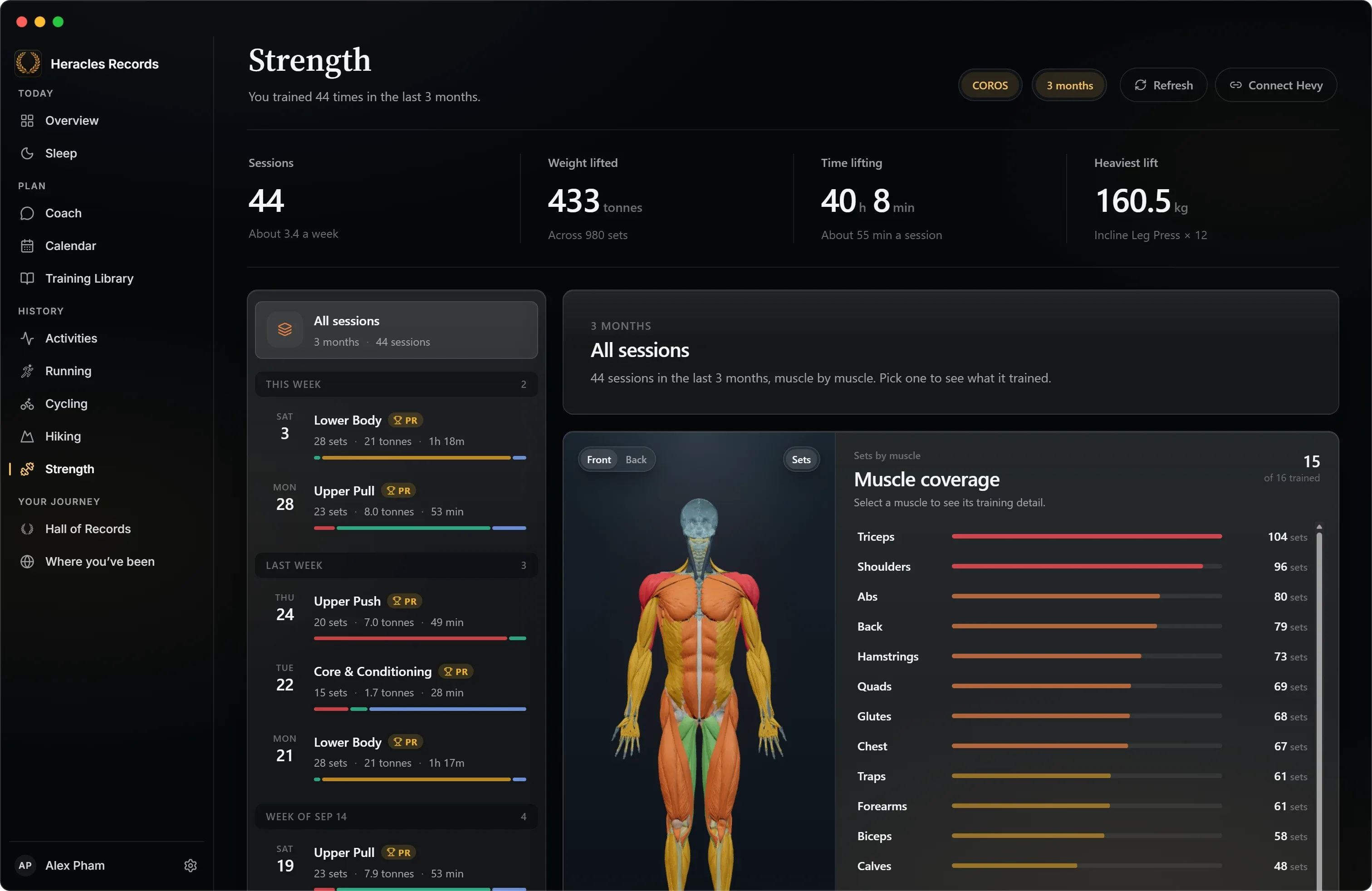
Every route
Replayed on the map.

Open any route full size on a street, satellite or topographic map. Colour the line by pace, heart rate or elevation, then watch it draw itself the way you covered it.
Ask about any session.
Every session's page has Ask Coach. The question arrives in Coach already pointing at that session, and the answer comes with the figures and charts behind it.
How Coach works