Heracles Records
Plans
Multi-week plans, read and run.
Your COROS training plans, read week by week: the load of each week, the stages from base to taper, and every session in its day. Put one on the calendar and follow how it is going.
In the Training Library
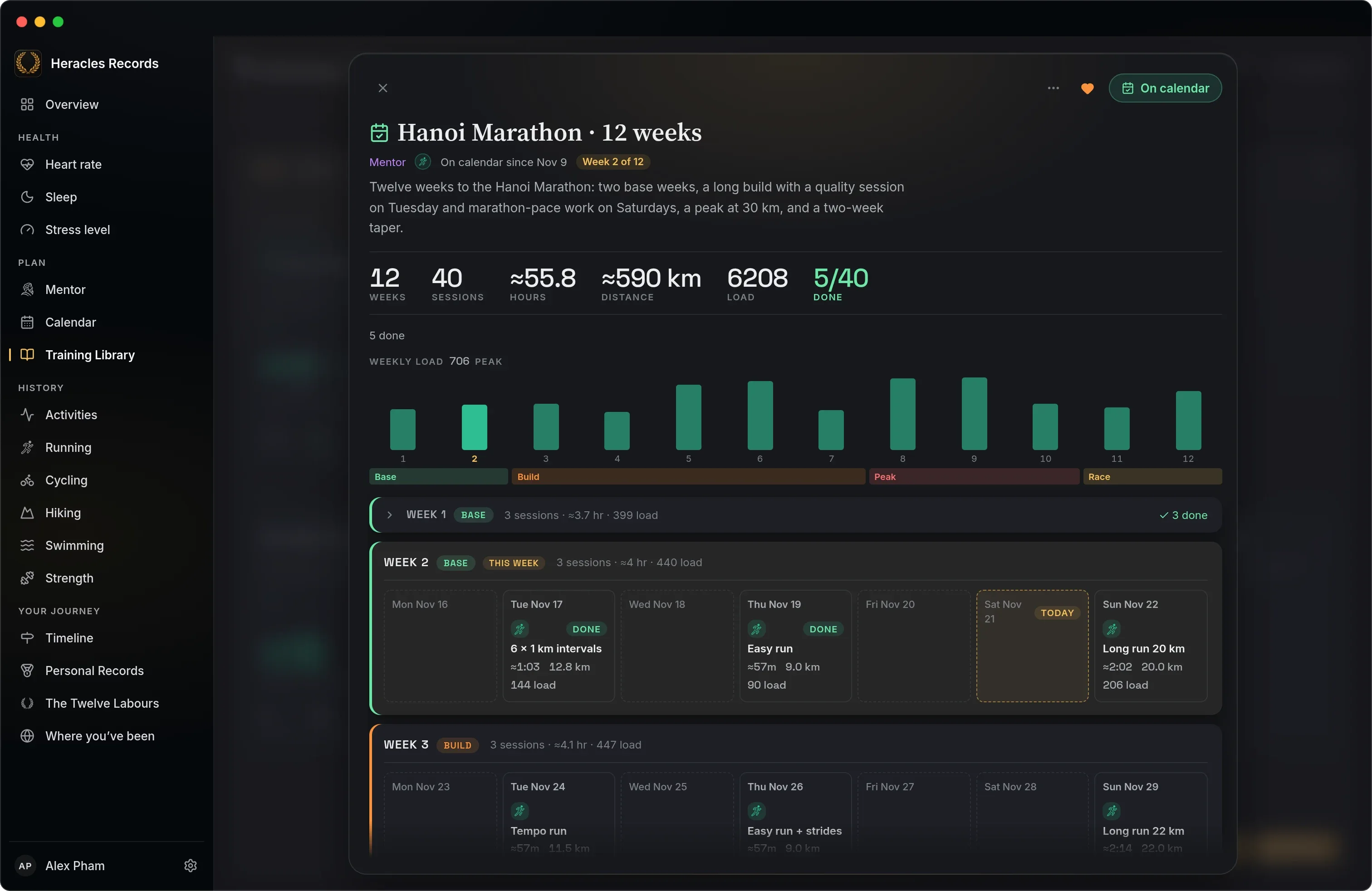
From a draft to your calendar.
- Edit sessions, weeks and stages, and keep a draft until you are ready to save it.
- Add to calendar from a start date, with a preview of exactly which sessions land where.
- See how it is going. Once a plan is running, each session shows whether it was done, and the plan its overall compliance.
- Plan in progress: a tile filled as far as the plan has got, with the next session beside it.
- Change a running plan and choose whether your calendar follows.
- Saved to COROS: if the plan changed there since you began editing, you choose what wins.
A plan from Mentor
Written with you, to your zones.
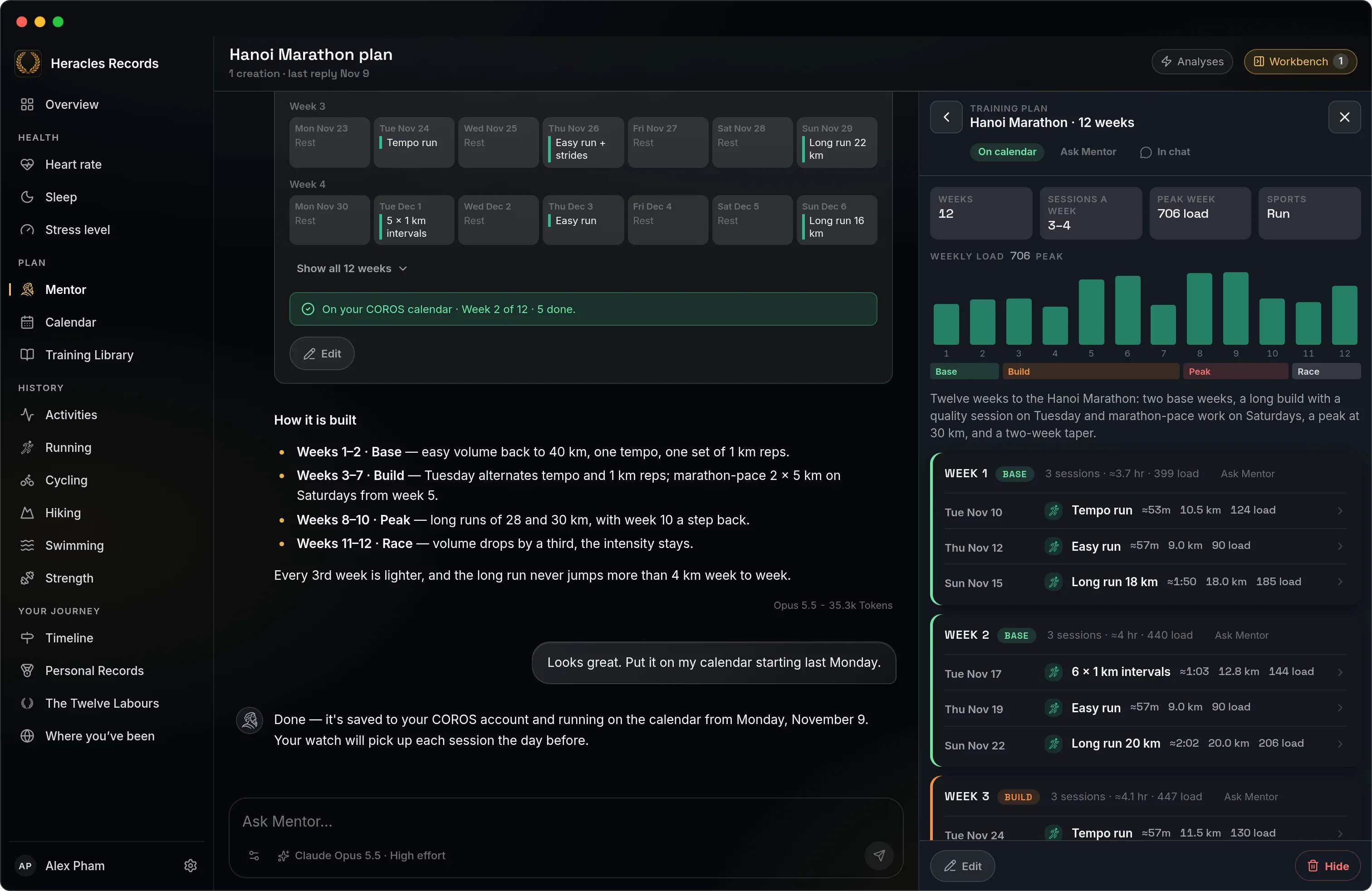
Ask Mentor for a plan and it starts from a brief you can edit, draws an outline of the weeks, then writes every session to your zones. Read it in the Workbench beside the conversation, change what you like, and save it to COROS and your calendar like any other plan.
- Gym days in the week's load. With Heracles Training Load chosen, Mentor sets each week's load in the same figure the Calendar adds up, lifting included.
- Nothing changes without you. The plan waits in the conversation until you save it.